
5 Best Ways to Master Hubdoc Xero 2026 Integration for Automation
Mastering the Hubdoc Xero 2026 integration is the ultimate secret to achieving a paperless office. In 2026, the era of “shoebox accounting” is officially dead. By leveraging this technology, you can transform your physical receipts into digital data with a single click. At Sparks2Flame, we specialize in configuring this workflow to ensure you never have to type an invoice manually. The Hubdoc Xero 2026 integration is not just a luxury; it is a necessity for scaling agencies.
The system has been significantly improved this year with faster OCR speeds and better machine learning logic. Whether you are scanning a crumpled receipt or a 50-page vendor bill, the automation extracts the supplier, date, and amount in seconds. To understand the full technical breadth of these updates, you can check the official Xero Blog for the latest 2026 announcements. Let’s explore how to get your Hubdoc Xero 2026 integration running at peak efficiency.
The Core Workflow for Document Success
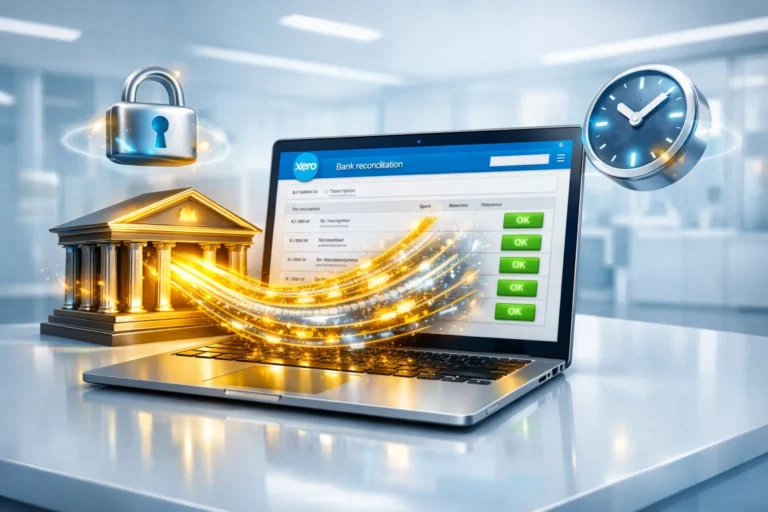
Setting up your document automation begins within your Xero dashboard. Since Hubdoc is included in most Xero pricing plans 2026, there is no extra subscription cost. You simply connect the two platforms via secure OAuth, allowing the software to “publish” documents directly into your ledger. This seamless Hubdoc Xero 2026 integration creates a verified digital trail for every penny you spend. This is the best way to stay audit-proof throughout the year.
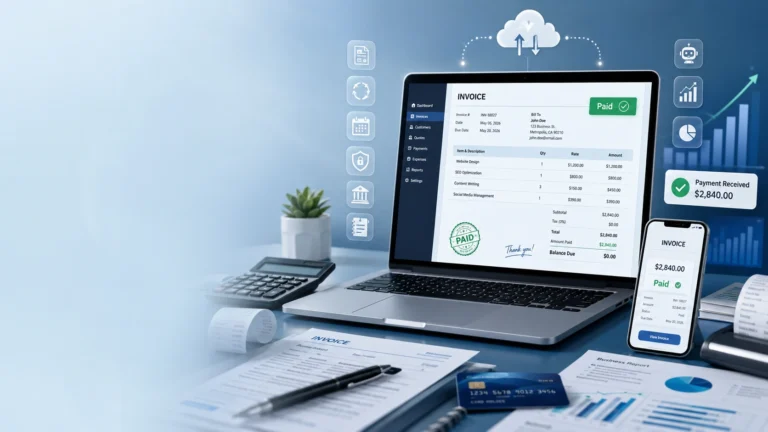
Once the connection is active, you are provided with a unique @hubdoc.com email address. You can set up your email provider to automatically forward invoices from companies like Google, AWS, or Shopify directly to this address. The Hubdoc Xero 2026 integration then takes that email, reads the PDF, and creates a draft transaction. As we noted in our financial workflow optimization guide, this “Zero-Touch” bookkeeping is the future of entrepreneurship.
| Submission Method | Best For | Automation Level |
|---|---|---|
| Mobile App Photo | Paper Receipts & Lunch bills | High (Snap & Go) |
| Email Forwarding | SaaS Bills (Zoom, Slack, etc.) | 100% Autonomous |
| Desktop Drag & Drop | Bulk PDF imports | Medium (Manual batch) |
| Direct Fetch | Bank & Utility Statements | 100% Autonomous |
Automating the Logic with Supplier Rules
The real power of the Hubdoc Xero 2026 integration lies in “Supplier Rules.” These rules allow you to pre-code your documents. For instance, you can tell the system that every time it sees a bill from “Google Cloud,” it should code it to “Software Subscriptions” automatically. This level of automation within the Hubdoc Xero 2026 integration eliminates the need for manual review for your recurring expenses.
In our **2026 Xero Review**, we highlighted that businesses using rules save an average of 10 hours per month. By refining these settings within your Hubdoc Xero 2026 integration, you ensure that your data is not only fast but also 100% accurate. At Sparks2Flame, we help you build these rules so your setup stays clean as you scale your team and your expenses.
Audit-Proof Security and Data Integrity
Security is a major factor for modern agencies. When you publish a document, a copy of the original PDF is permanently attached to the transaction. This is the best way to protect your business. For a full breakdown of the encryption used in the Hubdoc Xero 2026 integration, visit the official Xero Security page. This high-authority setup ensures your data remains safe from digital threats.
Furthermore, the Hubdoc Xero 2026 integration complies with 256-bit encryption standards, the same level used by global banks. This ensures your sensitive financial data remains private. We always recommend enabling Multi-Factor Authentication (MFA) on both platforms to ensure your Hubdoc Xero 2026 integration remains a secure gateway for your agency’s financial intelligence and overall ledger accuracy.
Sparks2Flame Strategy for Seamless Integration
At Sparks2Flame, we treat the Hubdoc Xero 2026 integration as a core component of your technical architecture. We don’t just “turn it on”; we optimize the data flow to ensure it matches your specific Chart of Accounts. Our approach involves a 3-step technical audit to guarantee the Hubdoc Xero 2026 integration provides maximum value for your investment.
Step 1: Intake Configuration
We set up your custom email forwarding and mobile app access. This ensures that every team member can contribute to the Hubdoc Xero 2026 integration without seeing sensitive financial reports or private bank balances.
Step 2: Rule Mapping
We build your first 50 Supplier Rules. This ensures that the moment you start using the Hubdoc Xero 2026 integration, the system already knows how to categorize your most frequent bills and monthly subscriptions.
Step 3: Verification Audit
We perform monthly checks to ensure the Hubdoc Xero 2026 integration is mapping tax rates correctly. This is part of our commitment to **maximizing your ROI** from your cloud accounting software.
FAQ: Hubdoc Xero 2026 Integration
Is Hubdoc free with my account?
Yes. Hubdoc is included at no extra cost in all Business Edition plans. This makes the Hubdoc Xero 2026 integration one of the most cost-effective automation tools available today.
What if the software makes a mistake?
Every document published lands in Xero as a “Draft.” This gives you a final chance to review the data before it officially hits your ledger. This “Review-First” approach is a key safety feature of the Hubdoc Xero 2026 integration.
Does Hubdoc support Pakistani vendors?
Absolutely. The system uses advanced OCR that can read vendor details from almost any country, including Pakistan. It will correctly extract the name and amount, though you may need to manually set the tax rate for local transactions.
Ready to go paperless? Contact Sparks2Flame for expert assistance with your Hubdoc Xero 2026 integration and automated document management.