
7 Best Ways to Master the Xero Accounting App 2026 for Mobility
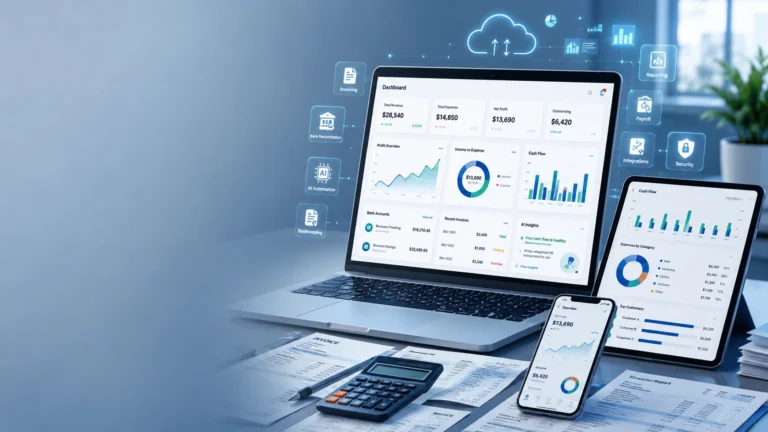
Mastering the Xero Accounting App 2026 is the best way for modern entrepreneurs to break free from their desks and run a truly mobile business. In 2026, the ability to invoice a client or reconcile a bank statement while waiting for coffee is no longer a luxury—it is an operational standard. By utilizing this technology, you turn your smartphone into a powerful financial command center. At Sparks2Flame, we specialize in configuring mobile workflows that allow you to manage your global agency from the palm of your hand.
The latest updates to the Xero Accounting App 2026 have introduced revolutionary features like “Tap to Pay” and integrated AI insights. Whether you are on a job site in Lahore or a meeting in Dubai, this platform ensures your data is always current. To see the full list of mobile technical releases for this year, check the official Xero Product Releases. Let’s explore how to get your mobile setup running at peak efficiency.
Accepting Payments with Tap to Pay Technology
The standout feature of the Xero Accounting App 2026 is the “Tap to Pay” integration. This is the best way to collect payments on the spot without needing an expensive card terminal. By using the mobile interface on an NFC-enabled device, you can accept contactless credit cards and digital wallets directly through your phone. This level of Xero Accounting App 2026 sophistication significantly improves cash flow by reducing the “time-to-pay” to nearly zero.
Once the payment is tapped, the invoice is automatically marked as “Paid” in your ledger. This seamless financial workflow optimization ensures that your bank reconciliation is already halfway done before you even get back to your office. As we noted in our Xero pricing plans 2026 guide, this feature is included in the standard mobile experience, providing massive value for service-based businesses. At Sparks2Flame, we help you activate these payment gateways for instant success.
| Mobile Feature | Benefit for Owners | Automation Level |
|---|---|---|
| Tap to Pay | Collect card payments on your phone | Instant |
| Mobile Recon | Reconcile bank lines in spare moments | High (AI Suggested) |
| Receipt Snap | Upload expenses instantly via camera | 100% Autonomous |
Reconciling Transactions on the Go
The Xero Accounting App 2026 has perfected the art of “spare moment” bookkeeping. By using the software for bank reconciliation, you can clear your statement lines in seconds using swipe gestures. This proactive approach is the best way to avoid a massive month-end backlog. Our **2026 Xero Review** highlighted that users who reconcile via the app save an average of 5 hours per week compared to desktop-only users.
Furthermore, the Xero Accounting App 2026 now features “Smart Filters” on the reconcile screen. This allows you to group similar transactions and bulk-reconcile them with a single tap. For businesses using the Xero bank feeds 2026 setup, the app will even send you a push notification when high-priority transactions are ready for review. This level of technical oversight is why modern firms trust Sparks2Flame to architect their mobile systems.
Instant Receipt Capture and Expense Tracking
A core pillar of the Xero Accounting App 2026 is the integrated receipt scanner. This is the best way to ensure you never lose a tax deduction again. By snapping a photo of a receipt within the interface, the AI extracts the vendor, date, and amount automatically. This Xero Accounting App 2026 feature then matches the receipt to your bank feed, creating a perfect audit trail. For more on data privacy and encryption in the app, visit the official Xero Security page.
For Pakistani entrepreneurs traveling for business, the mobile system handles currency conversion for foreign receipts on the fly. By combining this with your Hubdoc Xero 2026 integration, you create a 100% digital expense workflow. This level of technical sophistication ensures your records are always “Tax Ready,” no matter where you are in the world. We ensure your Xero Accounting App 2026 is optimized for this level of detail.
Sparks2Flame Strategy for Mobile Mastery
At Sparks2Flame, we provide a “Mobile-First” blueprint for your Xero Accounting App 2026 implementation. We don’t just “download the app”; we build the workflow that makes it a revenue-generating tool. Our approach to the Xero Accounting App 2026 involves a 3-step technical audit to maximize your efficiency and mobility.
Step 1: Security Configuration
We set up biometric login and multi-factor authentication on your mobile device. This ensures that even if your phone is lost, your financial data remains 100% secure within the Xero Accounting App 2026 ecosystem.
Step 2: Template Optimization
We help you design mobile-friendly invoice templates. This ensures your professional branding looks perfect on every client’s smartphone screen, which is a key advantage of the Xero Accounting App 2026 for service providers.
Step 3: Training and Rollout
We teach your team how to use the Xero Accounting App 2026 for time tracking and expenses. This is the best way to ensure that your Xero Projects 2026 data is updated in real-time from the field.
FAQ: Xero Accounting App 2026
Is the Xero Accounting App 2026 free to download?
Yes. The Xero Accounting App 2026 is free to download for iOS and Android. However, you need an active Xero subscription to log in and access your business data safely.
Does Tap to Pay work in all countries?
In 2026, Tap to Pay within the Xero Accounting App 2026 is currently available in the US, UK, and Australia. Support for more regions, including Pakistan, is expected to roll out later this year.
Can I manage multiple businesses in the app?
Absolutely. The Xero Accounting App 2026 allows you to switch between different organizations with a few taps, making it the best way for serial entrepreneurs to stay organized on the go.
Ready to go mobile? Contact Sparks2Flame for professional assistance with your Xero Accounting App 2026 setup and mobile workflow automation.